 OpenSocials
Drafts and schedules posts for review.
opensocials.thecompound.tech
 OpenSoftwareInstall it
OpenSocials still runs at opensocials.thecompound.tech. OpenSoftware signs you in to the same account and shows the same work.
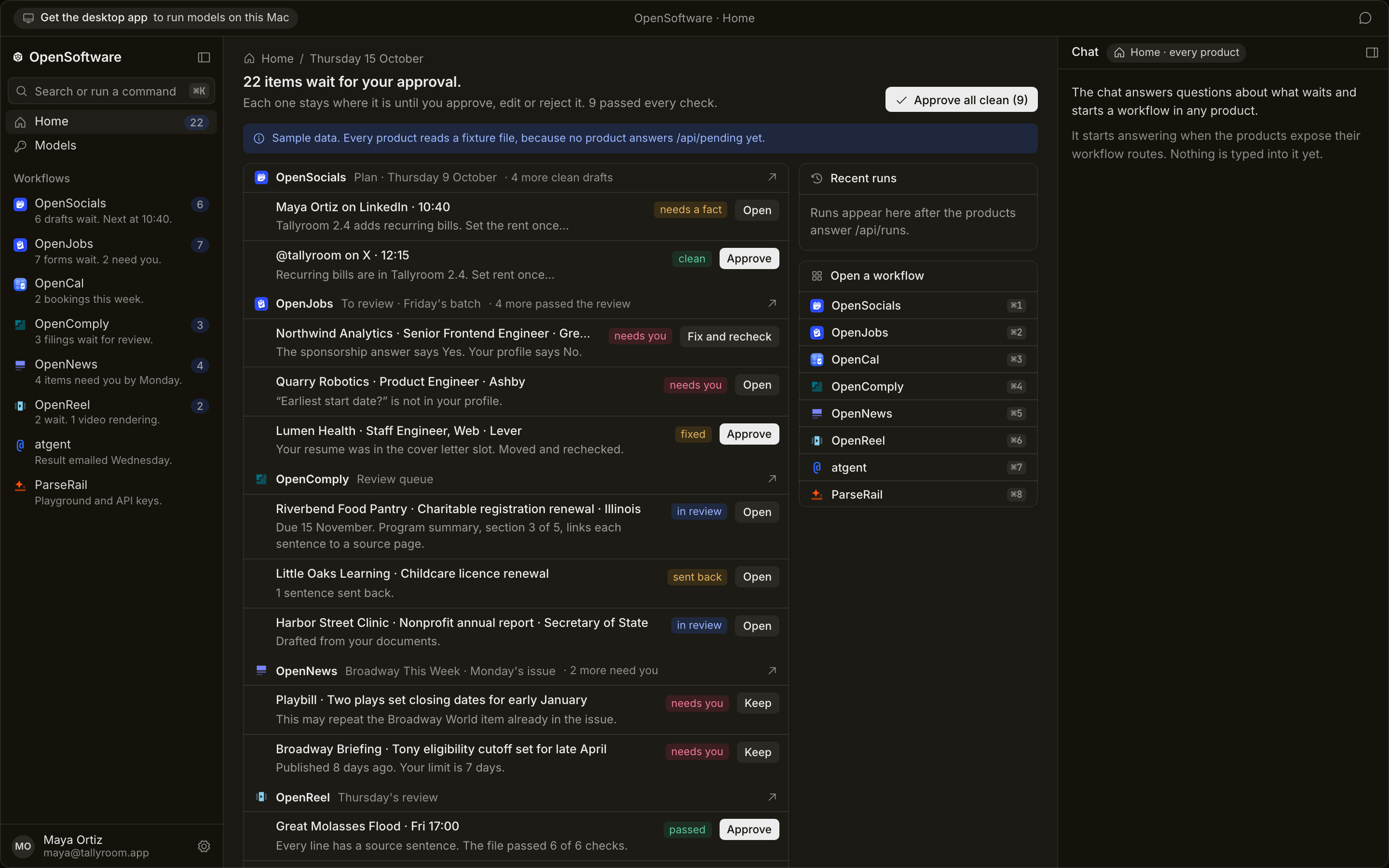
Each product below already has a site. OpenSoftware opens the same account for each product from one window.
OpenSocialsDrafts and schedules posts for review.
opensocials.thecompound.tech
 OpenJobs
Fills employer forms, waits for review.
openjobs.thecompound.tech
 OpenCal
Shows your open times and takes bookings.
opencal.link
 OpenComply
Drafts filings from your own documents.
opencomply.thecompound.tech
 OpenNews
Builds the next issue from your sources.
opennews.thecompound.tech
 OpenReel
Makes short narrated videos from an article.
openreel.thecompound.tech
 @gent
@gentEmail a task to your coding agent.
atgent.dev
 ParseRail
Parses documents. Playground and API keys.
parserail.thecompound.tech
Each product keeps its own site. No product changes domain, and no product is turned off.
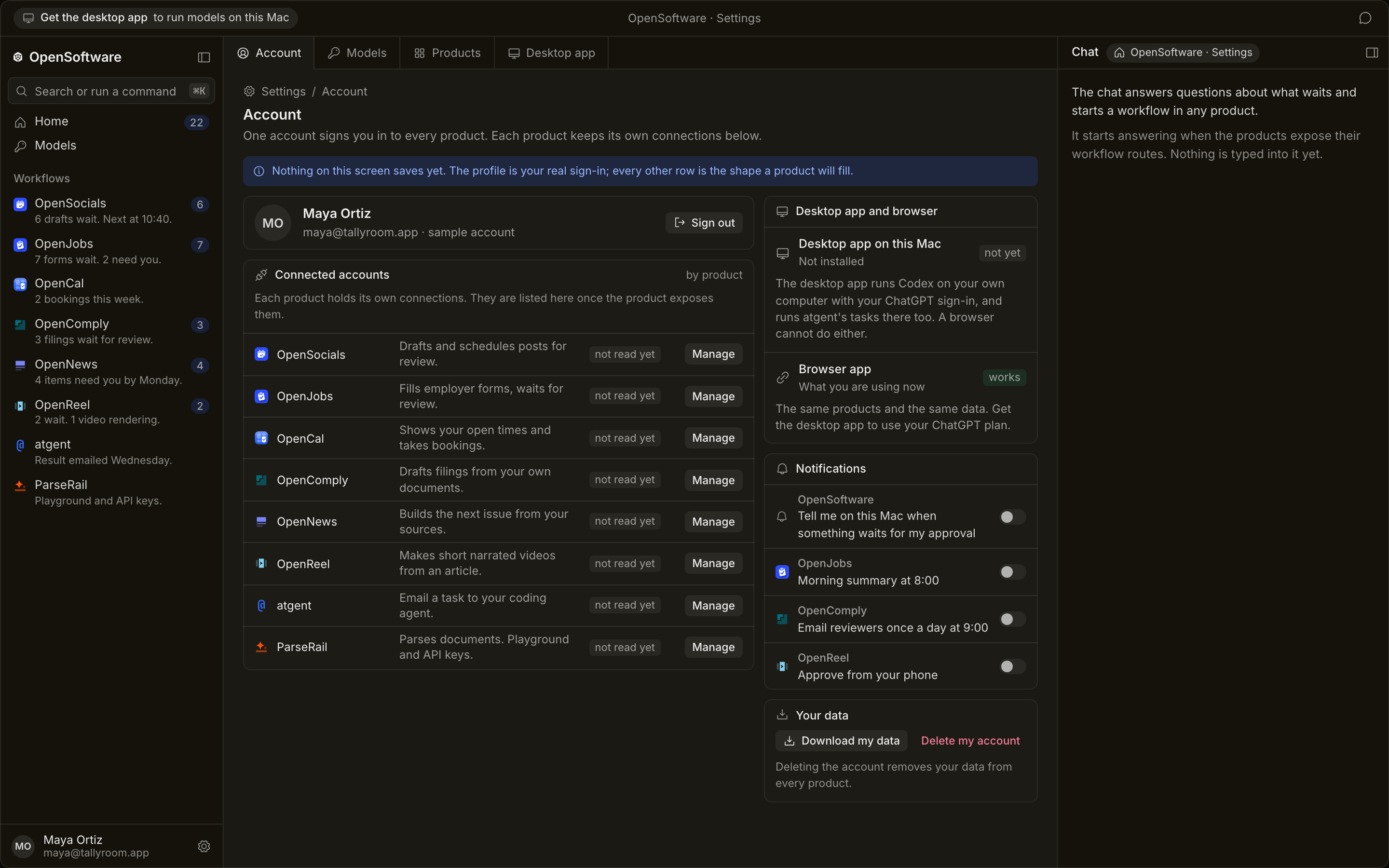
You sign in once, and every product reads that account.
You paste your OpenAI, Anthropic and Gemini keys once on the Models screen. Every product uses those keys. Each provider bills you for what the products use.
Claude works with an API key only.
See how the desktop app changes this →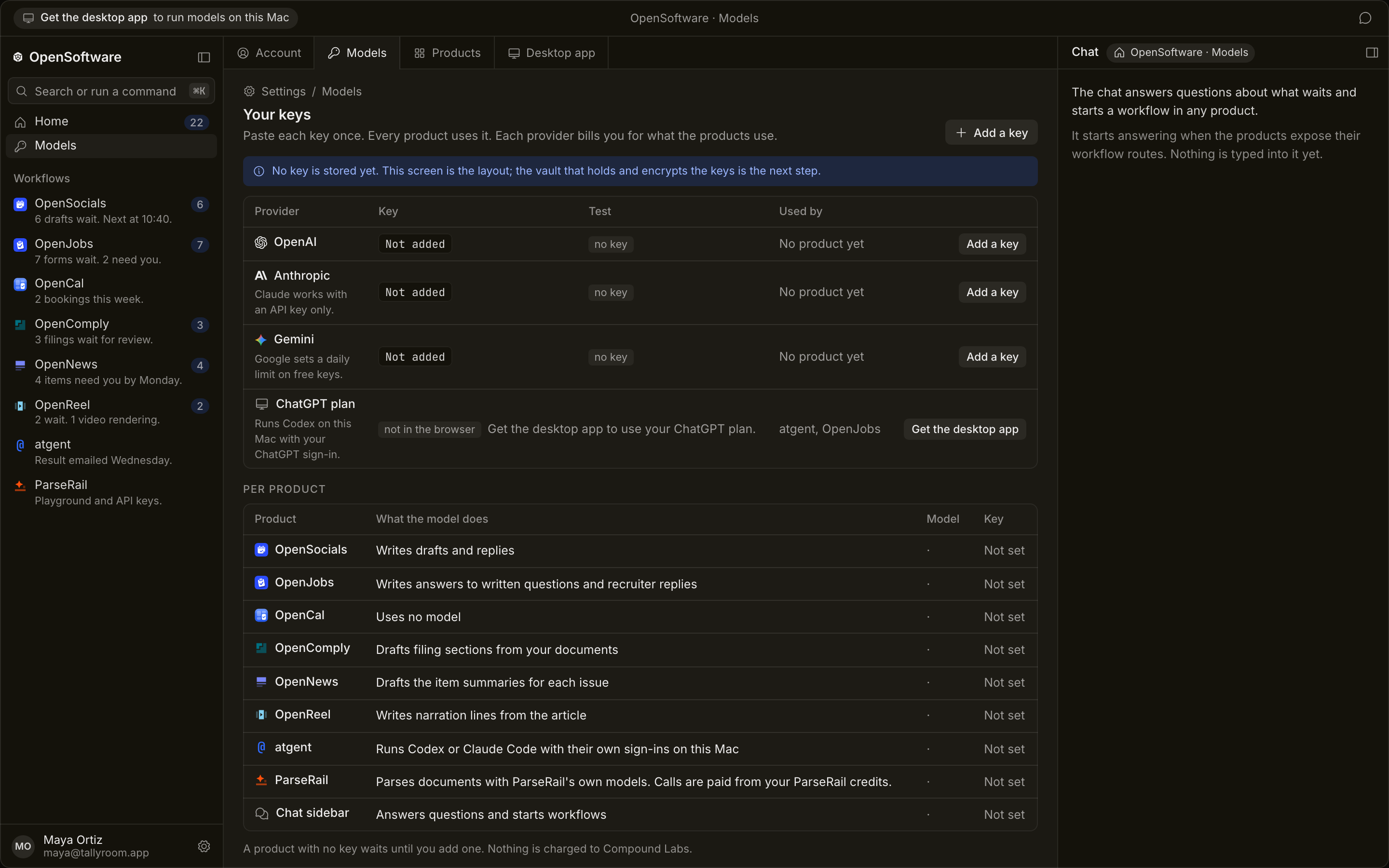
OpenSoftware installs from the browser as an app on your machine.
The desktop app runs Codex on your Mac with your own ChatGPT sign-in, and @gent and OpenJobs use the plan you already pay for.
The browser shows that row as: get the desktop app to use your ChatGPT plan.
OpenReel fetched the article and wrote draft 1.
Draft 1 was refused because a quoted line was not in the revision it cited. Draft 2 passed with 6 of 6 lines sourced.
The finished file was read back and passed every check. The workflow then stopped and waited for you.
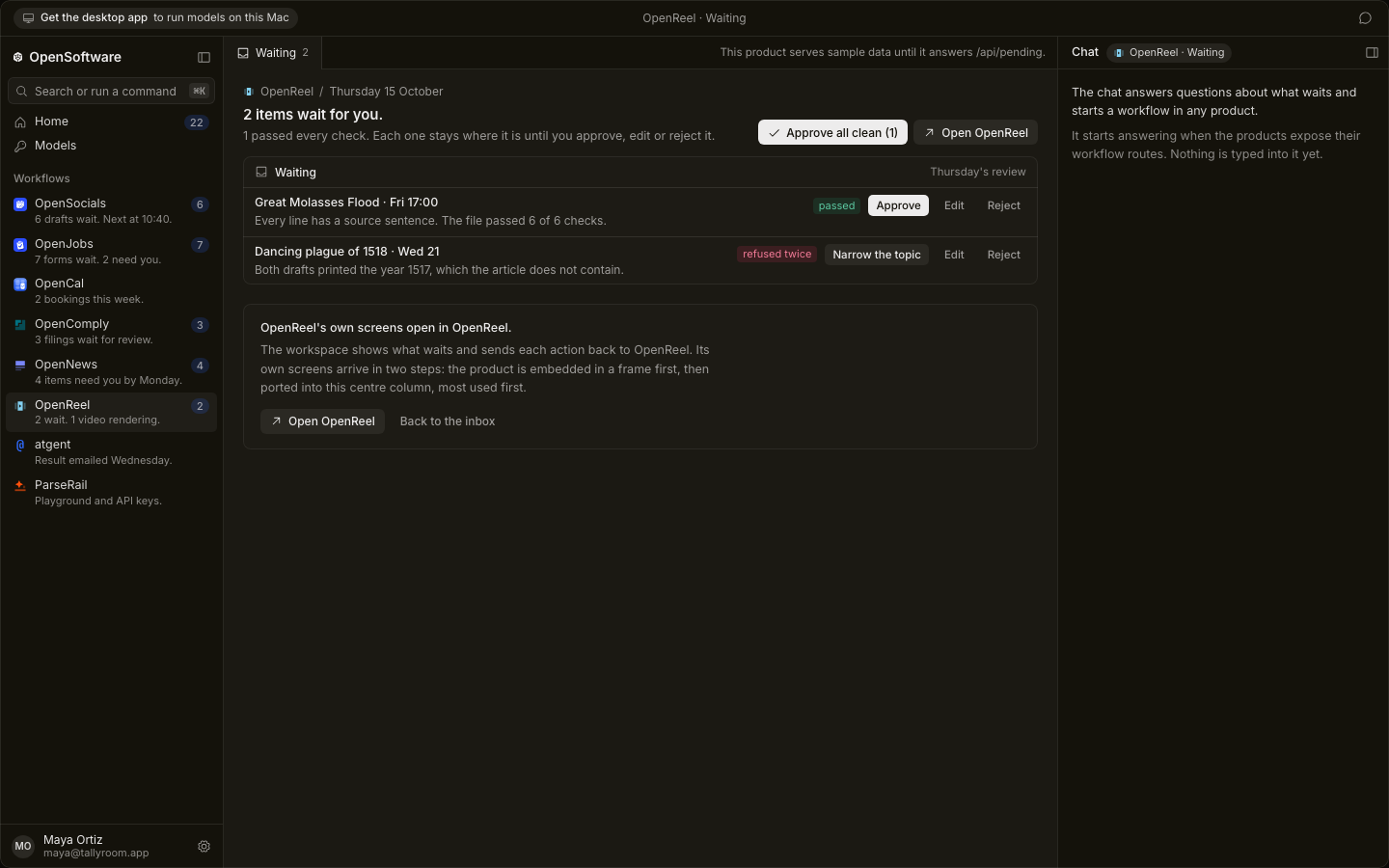
Each item stays where it is until you approve, edit or reject it. The buttons use the product's own labels: approve, edit, reject, keep, and fix and recheck.
Approve all clean takes only the items that passed every check and that you have not edited. Each item keeps its undo window.
The chat column stays open beside the product. It answers questions about what waits and starts a workflow in any product.